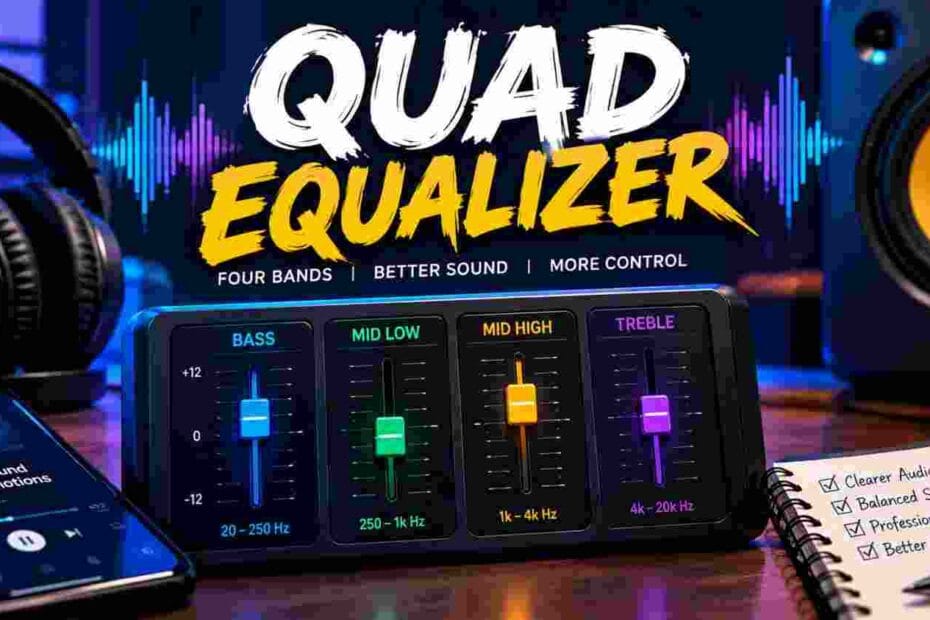
Your audio sounds flat and lifeless no matter how much you crank the volume. Muddy bass swallows crisp vocals, and piercing highs make every playlist unbearable through your speakers. A quad equalizer hands you precise control over four distinct frequency bands so every note lands exactly right. This guide delivers real settings, hands-on setup steps, and practical tips that transform your sound immediately.
What Is a Quad Equalizer and How Does It Work?
A quad equalizer splits your audio signal into four independent frequency ranges. Each band features its own gain control, letting you boost or cut specific tones without affecting the rest of the mix.
The device processes incoming audio through a series of bandpass filters. These filters isolate bass, low-mid, high-mid, and treble frequencies into separate lanes.
You adjust each lane with a dedicated knob or slider. The result is a finely sculpted sound profile that matches your room, vehicle, or personal taste.
Professional audio engineers at the confirm that multi-band equalization remains one of the most effective tools for correcting frequency imbalances in any playback environment.
How Does a Quad Equalizer Compare to Other EQ Types?
A standard two-band tone control only adjusts bass and treble. A quad equalizer doubles that resolution by adding two midrange bands, which is where most musical information lives.
Graphic equalizers offer more bands — often 10, 15, or 31 — but sacrifice simplicity. Parametric EQs let you sweep the center frequency of each band, giving surgical precision at the cost of a steeper learning curve.
The quad equalizer strikes a practical middle ground. You get enough control to fix real problems without drowning in options.
| EQ Type | Bands | Frequency Selection | Best For |
| Two-Band Tone Control | 2 | Fixed | Quick casual tweaks |
| Quad Equalizer | 4 | Fixed or semi-sweepable | Car audio, home stereo, guitar |
| Graphic EQ | 10–31 | Fixed | Live sound, room correction |
| Parametric EQ | 3–7 | Fully sweepable | Studio mixing, mastering |
| Semi-Parametric EQ | 3–5 | Partially sweepable | Mixing consoles, channel strips |
What Are the Best Quad Equalizer Settings for Car Audio?
Car cabins create nasty acoustic problems. Glass reflects high frequencies, door panels absorb mids, and trunk enclosures exaggerate bass. A quad equalizer solves these issues faster than any other single upgrade.
Start with these baseline settings and adjust by ear:
- Bass (60–100 Hz): +3 to +5 dB for fullness without distortion
- Low-Mid (300–500 Hz): −2 to −4 dB to reduce door-panel boom
- High-Mid (2–4 kHz): +1 to +3 dB to bring vocals forward
- Treble (8–12 kHz): +2 to +4 dB to compensate for windshield absorption
Play a familiar track with balanced production. Artists like Daft Punk or Norah Jones work well because their recordings cover the full frequency range evenly.
How Do You Set Up a Quad Equalizer for Home Stereo?
Connect the quad equalizer between your preamp and power amplifier using standard RCA cables. If your receiver has a tape-monitor loop or an external processor loop, use that path for the cleanest signal.
Power on the unit and set all four bands to flat (0 dB). Listen to a reference track at moderate volume before touching any controls.
Make one adjustment at a time. Boost or cut a single band by 2 dB, listen for 30 seconds, then decide if the change improved the sound. This patient approach
Can a Quad Equalizer Improve Your Guitar Tone?
Guitarists love the quad equalizer because it sits perfectly between a simple tone knob and a full rack-mount processor. Pedal-format four-band EQs from brands like Boss (GE-7 is a seven-band, but the concept applies) and MXR let you sculpt your signal before it hits the amplifier.
Cut the low-mid band around 400 Hz to remove boxiness from a solid-body electric. Boost the high-mid around 3 kHz to help your solos cut through a loud band mix. Roll off the treble slightly above 8 kHz to tame harsh fizz from high-gain distortion pedals.
Acoustic guitar players benefit equally. A gentle bass cut around 100 Hz eliminates stage rumble, while a small high-mid boost restores the natural sparkle that piezo pickups often lose.
What Mistakes Should You Avoid When Using a Quad Equalizer?
The most common error is boosting every band at once. This raises the overall noise floor and pushes your amplifier toward clipping without actually improving tonal balance.
Cutting problem frequencies almost always sounds better than boosting pleasant ones. If the bass feels weak, try reducing the low-mids first — the perceived bass often increases because the mud clears out.
Avoid extreme settings above ±8 dB unless you are deliberately creating a special effect. The engineering team regularly reminds readers that subtle EQ moves preserve the natural character of the original recording.
How Do You Read a Quad Equalizer Frequency Chart?
A frequency chart maps each band’s center point and bandwidth on a horizontal axis measured in Hertz. The vertical axis shows gain in decibels.
The center frequency marks the point of maximum boost or cut. The bandwidth — often labeled as “Q” — determines how wide or narrow the affected range is. A low Q value creates a broad, gentle curve, while a high Q value targets a narrow slice of the spectrum.
Most quad equalizer units use fixed Q values around 1.0 to 1.4 per band. This provides musical-sounding curves that rarely introduce phase artifacts or ringing.
Which Quad Equalizer Brands Deliver the Best Sound Quality?
Several manufacturers have earned strong reputations in the four-band EQ space:
- Clarion: Known for clean car audio equalizers with low noise floors
- Alpine: Offers compact quad-band units that integrate with factory head units
- DBX: Produces studio-grade processors trusted by touring engineers
- Boss: Delivers rugged guitar pedal EQs that survive years of gigging
- Behringer: Provides budget-friendly options with surprisingly transparent signal paths
Choose a brand that matches your application. A car audio unit from Clarion will not help your guitar pedalboard, and a Boss stompbox will not fix your living room acoustics.
When Should You Upgrade to a Quad Equalizer System?
Upgrade when your current two-band tone controls fail to fix persistent problems. If you constantly battle boomy bass or recessed vocals and your existing EQ cannot isolate those ranges, a four-band unit gives you the extra resolution you need.
Another clear signal is room or vehicle changes. Moving your stereo to a new room or installing speakers in a different car alters the acoustic environment completely. A quad equalizer lets you re-tune the system to the new space without replacing speakers or amplifiers.
How Does a Quad Equalizer Affect Overall Audio Signal Quality?
A well-designed quad equalizer introduces negligible distortion — typically below 0.01% THD — and adds less than 1 dB of noise to the signal chain. Cheap units with poor op-amps can degrade clarity, so invest in a model with a published signal-to-noise ratio above 100 dB.
The real benefit is improved perceived quality. By correcting room modes, speaker deficiencies, and recording imbalances, a four-band EQ makes your existing gear sound significantly better. You hear details that were previously masked by uncontrolled frequency buildup.
Take Control of Your Sound Today
Your speakers and amplifiers already work hard. Give them the frequency guidance they deserve. Grab a quad equalizer, start with the flat baseline settings outlined above, and make small adjustments one band at a time. Your ears will tell you when the mix clicks into place — and once you hear the difference, you will never go back to flat, lifeless audio again. Plug in, dial it in, and enjoy every song the way the artist intended.