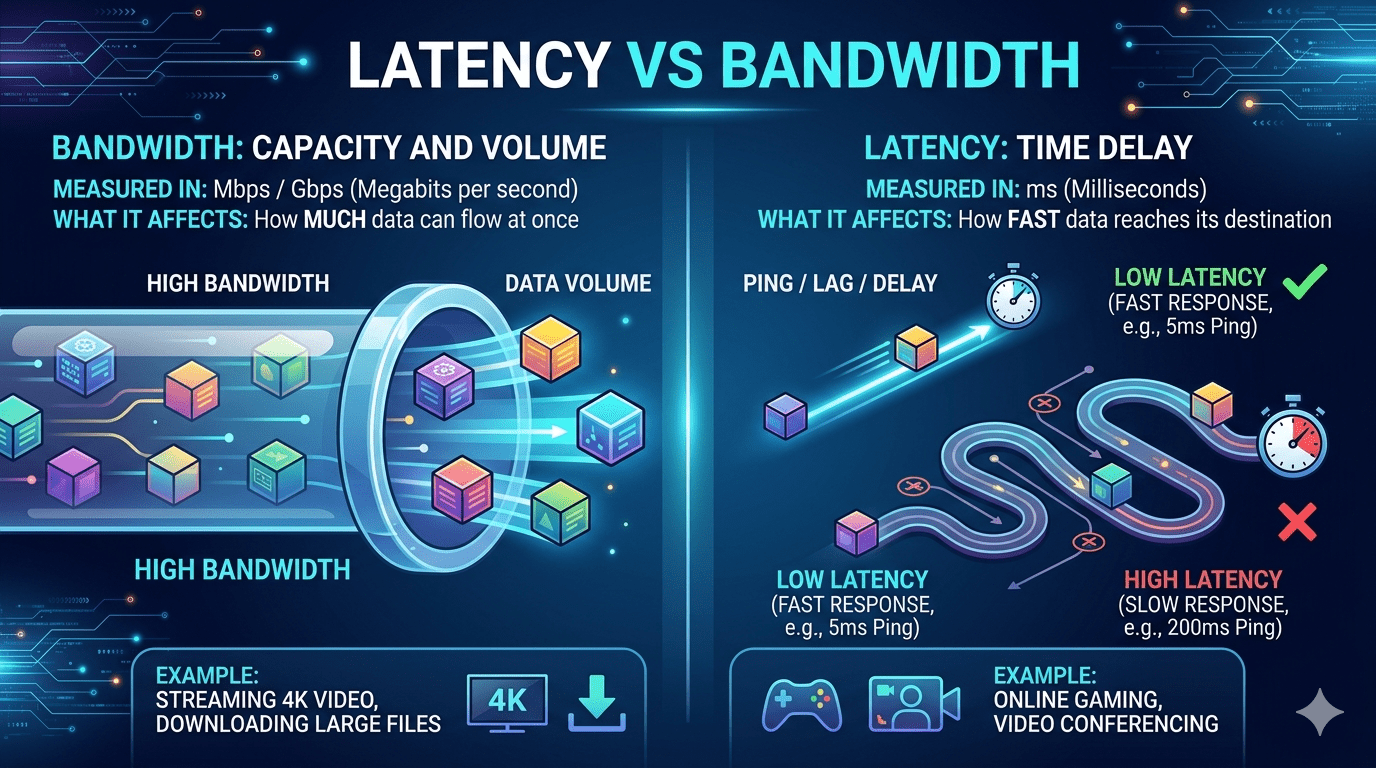
Bandwidth tells you how much data can move through a connection each second. Picture a multi‑lane highway. A 500 Mbps line hands you 500 million bits every second. It’s the width of the road, not the speed of a single car. Providers push bandwidth because big digits sell subscriptions. But a 10‑lane highway that forces every vehicle to stop at a toll booth still crawls. Bandwidth sets the ceiling; it doesn’t touch wait times.
What Is Latency? The Delay That Kills Your Flow
Latency measures the time a data packet needs to travel from your device to a server and back again. Network engineers call this round‑trip time, displayed in milliseconds. If you click a link and wait three seconds before anything loads, you’re wrestling with high latency. Cloudflare’s documentation points out that latency is pure delay, untouched by the file size you’re fetching. A tiny 100‑byte ping can still take 200 ms on a satellite link, while the same packet crosses a fiber connection in 2 ms.
Why Understanding What Is Latency vs Bandwidth Saves You Money
Most people upgrade to a costlier broadband plan the moment Netflix stutters. That move often fails because the real culprit is latency, not a skinny data pipe. Once you grasp what is latency vs bandwidth, you stop paying for bandwidth you don’t need and start demanding better routing or wired connections. A 100 Mbps connection with 8 ms latency feels lightning‑fast, while a 1 Gbps line with 300 ms latency makes every web page feel like dial‑up.
How Latency and Bandwidth Work Together (And Against Each Other)
Bandwidth and latency are not rivals. They shape your experience as a pair. Think of a water hose. Bandwidth is the diameter; latency is the time it takes water to reach the nozzle after you open the tap. You can push gallons through a wide hose, but if the valve reacts slowly, you still wait. When gaming, low bandwidth rarely breaks the experience — but 100 ms lag makes shooters unplayable. Video calls need both: enough bandwidth for clear video and sub‑30 ms latency to keep conversations natural.
The Simple Test That Reveals Your Real Problem
Run a ping test right now. Open a terminal or command prompt and type ping 8.8.8.8. The number that appears is your raw latency in milliseconds. Under 20 ms is excellent. 20–50 ms works for most tasks. Above 150 ms, you’ll feel the drag. Next, run a speed test at Ookla’s website. If your ping spikes during the download phase, your router might buffer too aggressively — a condition called bufferbloat that mashes latency and bandwidth together in the worst way.
What Is Latency vs Bandwidth in Everyday Tasks
Video streaming: Buffering usually means low bandwidth. Constant pauses while already buffered? That’s jitter (latency variation).
Online gaming: Bandwidth requirements sit around 3–6 Mbps. Latency must stay under 50 ms. Shooters demand under 20 ms.
VoIP calls: A single call uses roughly 100 Kbps. A 150 ms delay makes speakers talk over each other.
Large file downloads: Bandwidth dominates here. A 100 GB game downloads quicker on a 500 Mbps line, no matter the latency.
Web browsing: A page with 80 tiny assets (images, scripts) gets wrecked by high latency because each asset requires a separate round trip.
Table: Bandwidth vs Latency at a Glance
| Factor | Bandwidth | Latency |
|---|---|---|
| What it measures | Data volume per second (Mbps, Gbps) | Time for one round trip (ms) |
| Common analogy | Highway lane count | Ambulance response time |
| Affects | Download speed, streaming quality | Click response, gaming feel, call sync |
| Upgrading | Switch from DSL to fiber or higher tier plan | Switch from satellite to fiber, shorten route |
| Typical fiber value | 300–1000 Mbps | 2–10 ms |
| Typical 4G/5G value | 20–200 Mbps | 20–50 ms |
| Typical satellite | 25–150 Mbps | 500–600 ms |
| Tools to measure | Speedtest by Ookla | Ping command, Cisco’s network analysis tools |
Where Does Jitter Fit into This?
Jitter is the inconsistency of latency. Imagine pinging a server and getting 15 ms, then 45 ms, then 22 ms. That gap between the lowest and highest reading is jitter. Cisco’s threshold for VoIP warns that jitter above 30 ms degrades call quality. High jitter often comes from congested routers or unstable wireless signals. When someone asks you what is latency vs bandwidth, they rarely think about jitter, but it’s the hidden third player that ruins real‑time apps.
Common Myths That Keep You Frustrated
They can’t capture those 500‑ms spikes that freeze your Zoom calls.
“5G automatically means low latency.” 5G’s architecture allows ultra‑low latency, but real‑world towers often route through congested backhaul links. You still need to check your ping.
Actionable Fixes That Actually Work
Use a wired Ethernet connection. Wi‑Fi adds 1–10 ms of variable delay. A cable locks latency down.
Switch your DNS to a low‑latency provider. Cloudflare (1.1.1.1) and Google (8.8.8.8) place servers near major internet exchanges, trimming the first lookup delay.
Check for background uploads. A phone syncing photos can saturate your uplink, creating bufferbloat. Pause cloud backups during sensitive tasks.
Ask your ISP about peering. Some providers take indirect paths to popular services like Netflix. A quick call sometimes gets you rerouted onto better links.
Expert Insight That Changes Your View
According to Akamai’s performance studies, online sales conversions decrease by 7% for every 100 milliseconds increase in delay. Amazon calculated that just one extra second of load time could cost $1.6 billion in annual sales. These numbers prove that what is latency vs bandwidth isn’t an academic question — it’s a direct lever on revenue and user happiness. Organizations that ignore latency optimization lose customers silently every day.
How to Read Specs Like a Network Engineer
Internet plans quote bandwidth. Network monitoring tools like Cisco’s ThousandEyes or PingPlotter show the real story: path latency and packet loss. When you see a provider advertise “speeds up to 800 Mbps,” that’s pure bandwidth. Next time you compare offers, ask the sales rep directly: “What’s your average round‑trip latency to a major cloud server?” The reaction alone tells you plenty.
Frequently Asked Questions
1. What is more important for gaming: latency or bandwidth?
Latency matters far more. Most multiplayer games use less than 5 Mbps. A ping under 30 ms ensures your shots register instantly, while a gigabit line with 120 ms lag still gets you eliminated first.
2. Can you have high bandwidth but high latency?
Yes. Satellite internet delivers 100 Mbps throughput but carries 600 ms latency because signals travel to orbit. This gap explains what is latency vs bandwidth perfectly — wide pipe, painful delay.
3. Does a VPN increase latency?
Usually, a VPN adds 5–50 ms because your data travels through an extra encrypted hop. Choose a VPN with servers close to your physical location to keep the rise negligible.
4. Why does my latency spike only at night?
Your local ISP segment likely becomes congested. Neighbors streaming or gaming overload the shared line, and router buffers fill up, raising delay. A router with SQM solves this neatly.
5. How do I measure latency to a specific website?
Open Command Prompt and type ping examplewebsite.com. The time in milliseconds is your one‑way‑equivalent estimate. The latency at each path hop is displayed by tools such as MTR.
6. Is 10 ms latency good for remote work?
Exceptional. 10 ms lets you remote‑control desktops, attend crisp video calls, and upload files without noticeable lag. At this level, you stop thinking about what is latency vs bandwidth because everything just works.
Strong Connection, Right Action
You now own the clear, no‑nonsense picture of what is latency vs bandwidth. Don’t let a flashy speed test number fool you again. Test your real ping, wire your gaming rig, demand router intelligence, and question your provider about peering. The internet isn’t just a big pipe; it’s a timed conversation. Tune the conversation, and every click feels instant. Choose one fix from the list above and apply it today — your next video call or ranked match will thank you.